![Altrum_blk_logo_big-3.png]](https://knowledge.altrum.com/hs-fs/hubfs/Altrum_blk_logo_big-3.png?height=40&name=Altrum_blk_logo_big-3.png)
Depending on the chosen customization option, the method for adding gift cards of different values may vary.
- For delivery to the buyer, click here.
- For delivery to the recipient, click here.
- To understand the difference between those two options, click here.
For delivery to the buyer
1. In the customization options, click To the buyer.
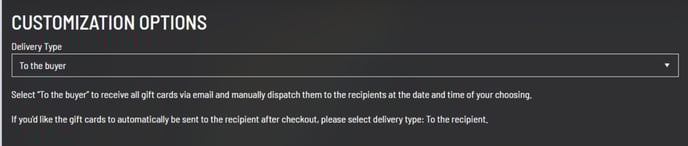
2.In your cart, click the dropdown menu to select the value of your first gift card.
3. Specify the number of codes you would like for this amount.
4. Click "Add to Cart."
5. Repeat the process to add codes with different values.
6. Once you have selected all the desired amounts and added the correct quantities to your cart, accept the terms of use, then proceed to checkout.
Note: If you make a mistake, you can adjust the quantity of codes in your cart or delete a selected value.
For delivery to the recipient
1. In the customization options, select To the recipient.
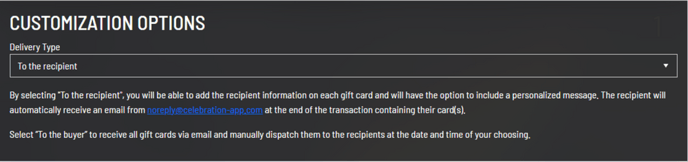
2. In your cart, enter the information for your first recipient.
3. Select the gift card value to be given to this recipient.
4. Optionally, include a personalized message for your recipient.
5. Once completed, click Add to Cart.
Note: You can edit or delete the information and messages for each recipient at any time before checking out.
6. Repeat the steps above until all the desired gift cards are added to your cart.
7. Accept the terms and conditions, then proceed to checkout.